# Network Transport
NetworkTransport is the logic used to send and receive messages between each network node in-game.
ObjectNet brings with it its own embedded transport system called OnlineObjectTransport, and also native support Unity Transport system.
Modifying Transport
1. To select another transport system click on the eye icon located on the right side of NetworkManager
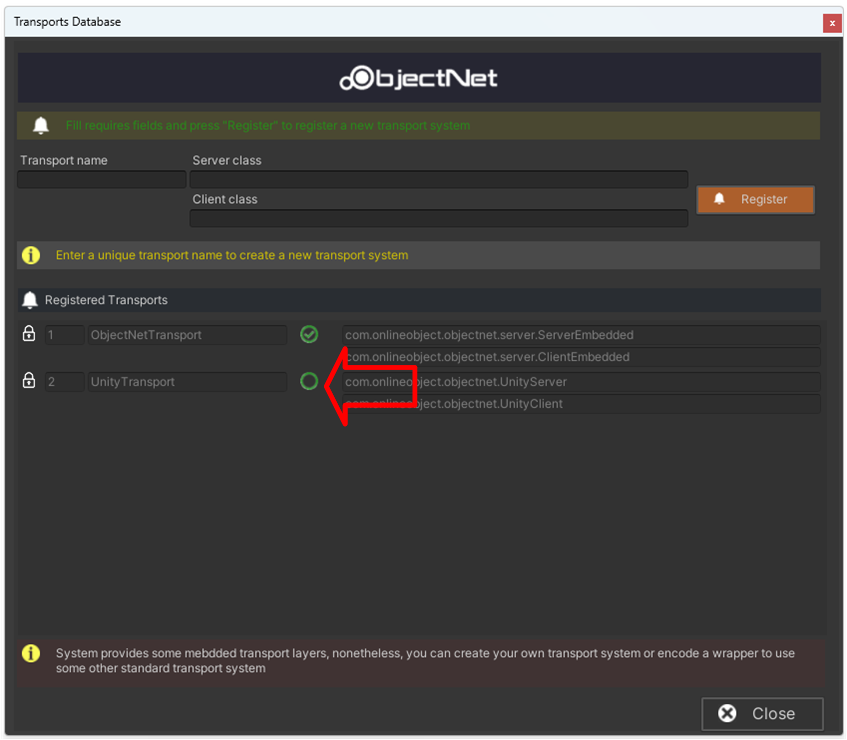
2. A new "Transport Database" window shall appear.
3. Click on the green selector to change the selected transport system.
Creating custom Transport System
ObjectNet provides the possibility to anyone create and use their own Transport System or implement any 3-part transport system.
To create a new transport system, you shall implement a minimum of 2 classes inherited from the following interfaces.
* ITransportClient
Provides an implementation of connection from the client perspective.
* ITransportServer
Provides an implementation of connection from the server perspective.
The both interfaces inherited from ITransport which has the signature on needed methods to be implemented.
You can use as a reference the already contained Transport Systems.
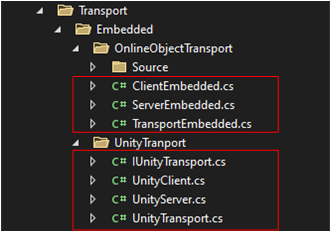
**ClientEmbedded**, **ServerEmbedded** and **TransportEmbedded** is the wrapper of OnlineObjectTransport system to work with ObjectNet.
**UnityClient, UnityServer** and **UnityTransport** is the wrapper of UnityTransport system to work with ObjectNet.
You can use any of them as a reference to implement your transport system.
Registering custom Transport System
1. To select another transport system click on the eye icon located on the right side of NetworkManager
2. A new "Transport Database" window shall appear.

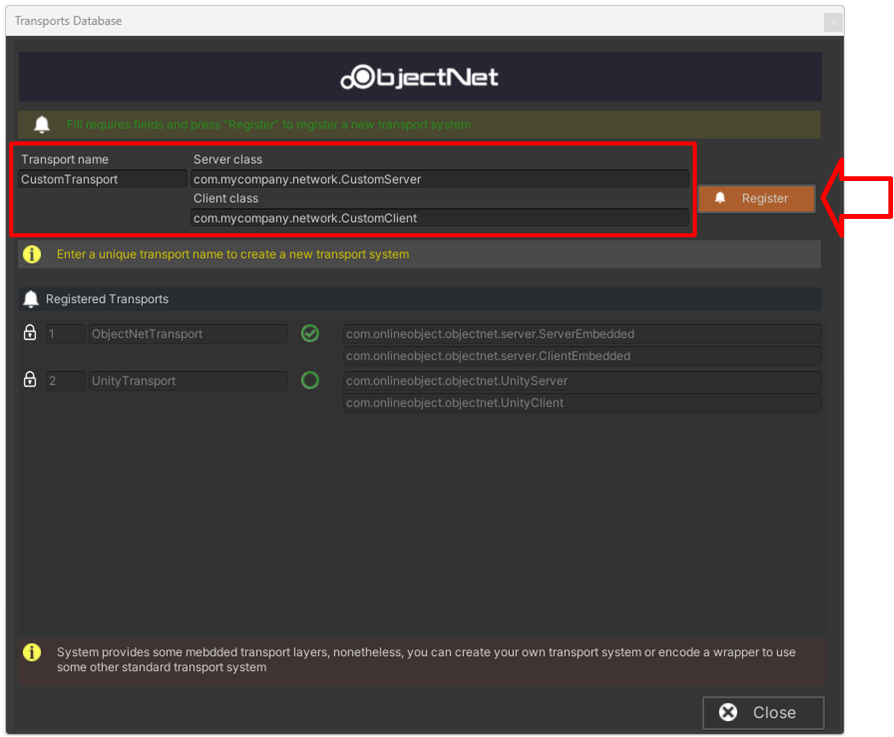
3. The following fields must be filled
* Transport Name :
* The literal name of the transport system
* Server Class :
* Name space and class which implements ITransportServer interface.
* Client Class
* Name space and class which implements ITransportClient interface.
4. Click on Register button